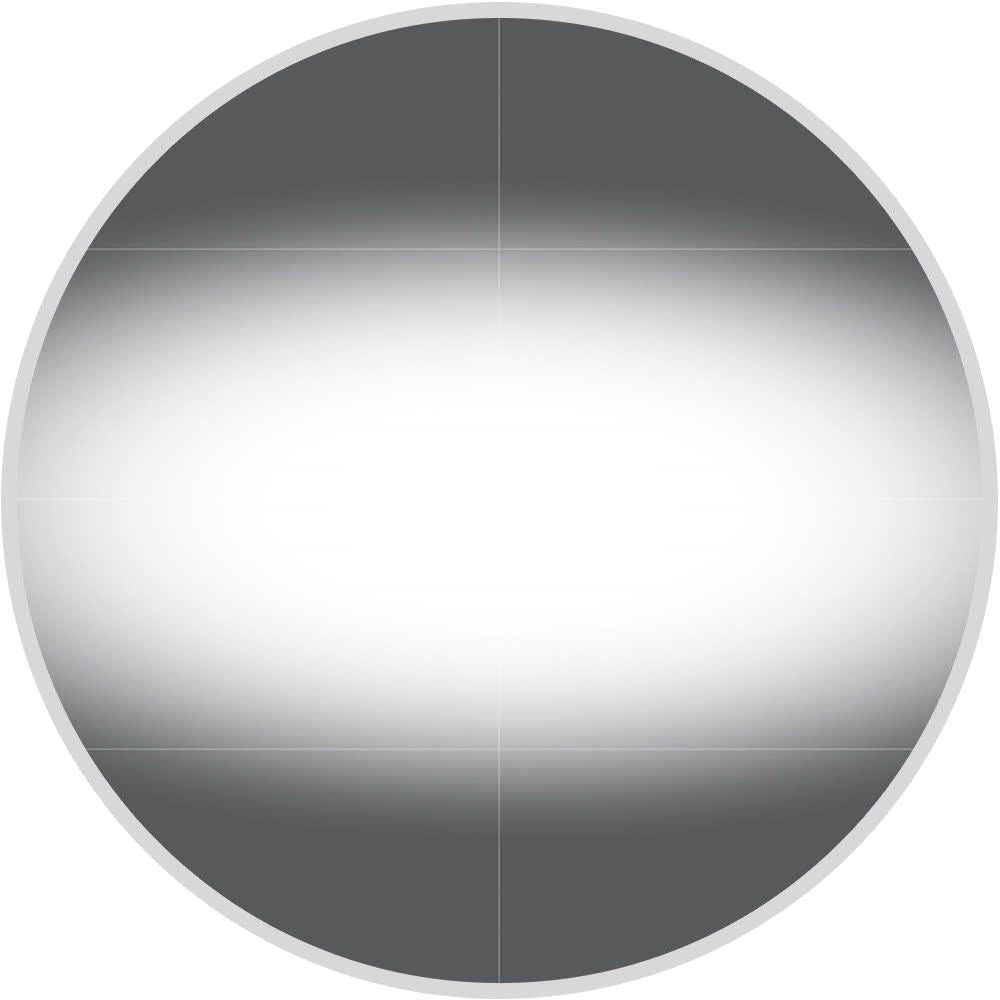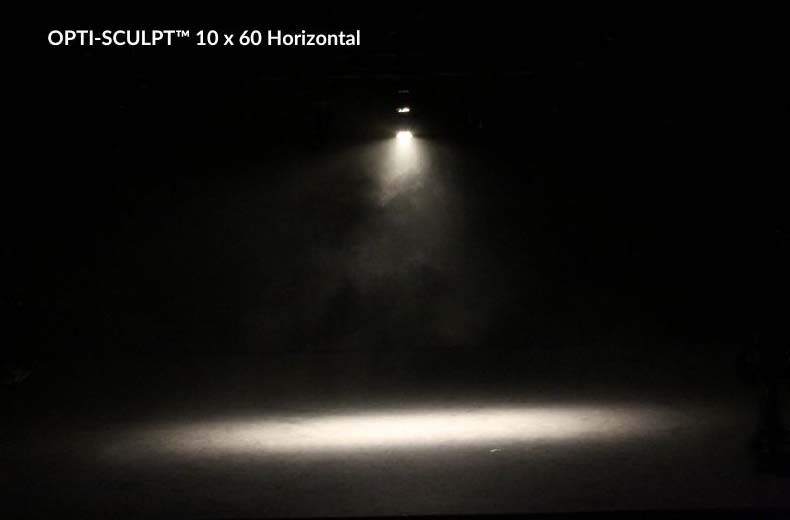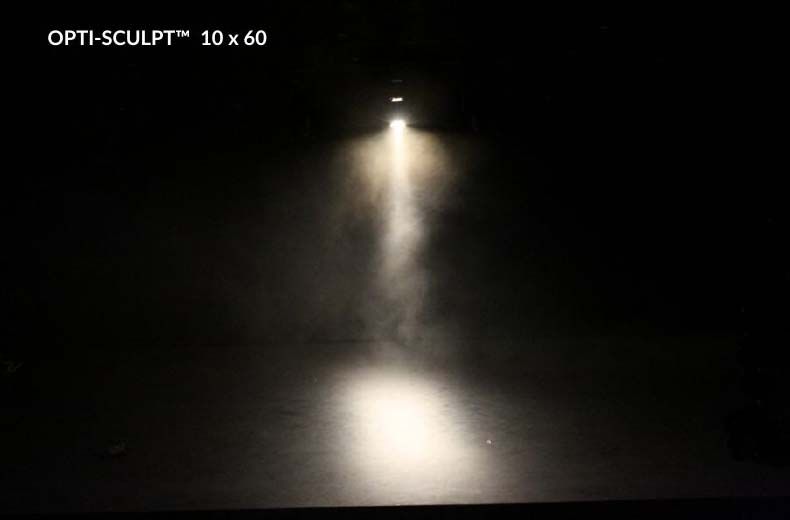


OPTI-SCULPT 10° × 60° — stretch a beam into a long, narrow spread
An engineered light-shaping filter that spreads a beam to 10° one way and 60° the other, with more than 85% transmission. Rosco’s OPTI-SCULPT filters give precise angular beam control with more brightness than standard diffusion.

Image: Rosco
Shape the beam, don’t just soften it
Instead of scattering light in every direction, OPTI-SCULPT redirects it into a set pattern. The 10° × 60° pattern turns a round beam into a long, narrow one — ideal for washing tall or wide surfaces evenly.
- Spreads the beam 10° × 60°
- High transmission (>85%) vs standard diffusion
- Precise, engineered distribution
- Smooth side faces the lamp
- Not adversely affected by dust or fingerprints
- Cuts to fit fixtures and frames
Architectural, display and stage
Wall washing & grazing
Stretch narrow LED beams along walls, columns and façades.
Retail & museum display
Shape light to shelves, cases and artwork without wasted spill.
Stage & events
Even, elongated washes on scenery, cycs and set pieces.
What it is — and what it isn’t
Use it for
- Elongating narrow LED beams
- Even washes on long or tall surfaces
- Architectural and display fixtures
- Higher output than diffusion for the same spread
Don’t use it for
- General softening — use a diffusion filter
- Testing with lasers or phone LED lights (results mislead, per Rosco)
- Fitting with the textured side to the lamp (unless intended)
- Contact with very hot lamps outside the rated range
Getting the best result
- Test first with a small fixture such as a pin spot or small fresnel.
- Cut the sheet to fit the fixture’s lens holder or frame.
- Fit with the smooth side towards the lamp.
- Rotate the filter to set which axis gets the 60° spread.
- Check the throw on the actual surface and adjust.
Key details
| Product | OPTI-SCULPT OS1060 |
|---|---|
| Pattern | 10° × 60° |
| Transmission (per Rosco) | >85% |
| Substrate | Clear polycarbonate |
| Thickness | 10 mil (254 µm) |
| Thermal performance (per Rosco) | −40°C to +160°C |
| Rosco sizes | 24" × 20" (60 × 50 cm) and 24" × 40" (60 × 100 cm) seamless sheets |
| Sizes | As listed above |
| Rosco product numbers | 108110602420 / 108110602440 |
Common questions
What does 10° × 60° mean?
The filter spreads the beam to about 10° in one axis and 60° in the other, giving a long, narrow pattern.
Which way round does it go?
Smooth side towards the lamp. Rotate the sheet to choose which direction gets the 60° spread.
How much light does it lose?
Rosco lists transmission at more than 85% — higher than standard diffusion.
How should I test it?
Rosco recommends a small fixture such as a pin spot or small fresnel. Lasers and phone LEDs can give misleading results.
What other angles are there?
Rosco makes 11 OPTI-SCULPT patterns, from 10° to 20° × 40°. See the full range.
Specifications are from Rosco’s OPTI-SCULPT data sheet. Beam results depend on the fixture optics and distance — test with your fixture before specifying. Figures and advice on this page are a guide only.
Related products
Need help choosing?
Tell us what you’re working on and we’ll point you to the right product for the job.
Available Sizes
| Format | Imperial Size | Metric Size |
|---|---|---|
| Standard Sheet | 20 in × 24 in | 508 mm × 610 mm |
| Large Sheet | 24 in × 40 in | 610 mm × 1016 mm |
Rosco Opti-Sculpt is supplied as optical film sheets which can be cut to fit many architectural and lighting fixtures.
Rosco Opti-Sculpt Beam Shaping Filters
Rosco Opti-Sculpt is a specialised range of optical lighting films designed to reshape and control the beam distribution of LED and architectural lighting fixtures.
Unlike traditional diffusion filters that simply soften light, Opti-Sculpt lenses redirect and spread light in controlled directions. This allows lighting designers and architects to precisely shape how light interacts with surfaces.
- Transforms narrow LED beams into controlled wall washes
- Shapes light without excessive light loss
- Improves uniformity across architectural surfaces
- Helps eliminate hot spots and uneven lighting
- Flexible material that can be cut to fit many fixtures
Common Applications
- Architectural façade lighting
- Museum and gallery lighting
- Wall grazing and wall washing
- Retail display lighting
- Landscape lighting
- Lighting installations and exhibitions
How Opti-Sculpt Works
Opti-Sculpt films contain microscopic optical structures that redirect light in specific directions. Instead of randomly scattering light like diffusion filters, these optical patterns reshape the beam into controlled horizontal or vertical spreads.
A narrow spotlight can be transformed into a wide horizontal beam to evenly illuminate a wall, façade or artwork without changing the lighting fixture itself.
Why Opti-Sculpt is Different from Diffusion
| Feature | Standard Diffusion | Opti-Sculpt |
|---|---|---|
| Light Control | Softens light | Redirects and reshapes beam |
| Beam Pattern | Random scatter | Controlled beam shaping |
| Lighting Efficiency | Can significantly reduce output | Maintains higher usable light |
| Typical Use | Softening fixtures | Architectural beam control |
Learn More About Opti-Sculpt
If you're new to beam shaping filters or want to understand how different optical patterns affect lighting design, our detailed guide explains how the Opti-Sculpt system works and how designers use it in real projects.
Recommended Testing for Designers
Lighting designers often test multiple beam shaping options before specifying fixtures. Rosco offers tools that allow designers to evaluate different optical patterns before committing to a project.
Opti-Sculpt Design Kit
Test multiple beam shaping lenses with your lighting fixtures.
View the Opti-Sculpt 11 Piece Design Kit
Opti-Sculpt Swatchbook
A compact sample set for quick evaluation of optical patterns.
Installation Tips
- Cut the Opti-Sculpt sheet to fit the fixture lens or accessory frame.
- Install inside the fixture lens holder or frame.
- Ensure the optical pattern orientation is correct for the intended beam direction.
- Test beam distribution and adjust orientation if necessary.
Cautions & Disclaimer
- Always test beam shaping materials with your specific fixture and installation.
- Ensure the material is installed correctly and securely within the fixture.
- Improper installation may affect beam distribution.
All technical data, recommendations and service are accurate to the best of our knowledge. Rosco assumes no responsibility for results obtained or damage incurred from use since method of application and use are beyond our control.