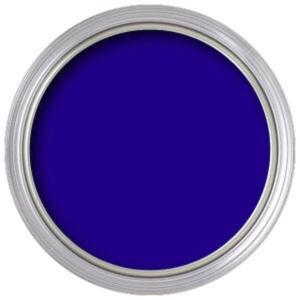


Precision blue for the most demanding composites
DigiComp® HD Blue is Rosco’s professional digital compositing paint for productions that need the most accurate blue screen possible. Unlike generic ‘blue screen’ paint, it’s engineered for digital compositing systems with carefully controlled RGB values, luminance and spectral reflectance for clean, fast keys.

Where DigiComp HD Blue is used
- Broadcast studios and VFX stages
- Virtual production environments
- Shots with green in the foreground
- Permanent blue-screen walls and cycs
- Clean foreground / background separation
- Fast, accurate keys with minimal cleanup
- Consistent colour between paint batches
- Reliable performance under studio lighting
Best for — and the alternatives
DigiComp HD Blue is best for
- High-accuracy blue compositing
- Shots where green would conflict
- Single-source pigment consistency
- Ultra-flat, reflection-free keying
Don't need top-tier precision?
DigiComp HD is the premium tier. For standard keying or a green key:
- Chroma Key Blue (5710) → standard blue-screen paint
- DigiComp® HD Green (5751) → precision green compositing
- Chroma Key Green (5711) → standard green screen
DigiComp HD Blue specifications
Single-source pigments give batch-to-batch consistency; the ultra-flat finish prevents reflections and hotspots that interfere with key extraction under studio lighting.
| Type | Professional digital compositing paint |
| Colour | Controlled RGB values, luminance and spectral reflectance |
| Pigments | Single-source for consistent colour between batches |
| Finish | Ultra-flat, high-gain reflectivity |
| Coverage | Approx. 300 sq ft per gallon |
| Sizes | 3.8 L and 19 L |
Typical applications
VFX stages
Precision blue for demanding compositing.
Virtual production
Reliable keys in VP environments.
Standing walls
Consistent repaints on permanent blue cycs.
Which studio & video paint do I need?
Keying colour, calibrated background or ultra-matte black — match the paint to the job:
View Chroma Key Green
View Chroma Key Blue
View DigiComp HD Green
View DigiComp HD Blue
View TV White
View TV Black
Planning a studio or cyc?
Keying, reflectance and lighting all interact. Talk to us about paint choice, primer and coverage before you commit a whole wall or cyclorama.
Keying and reflectance performance depend on lighting, camera and application. Test on a sample and confirm results on camera before committing a full surface.