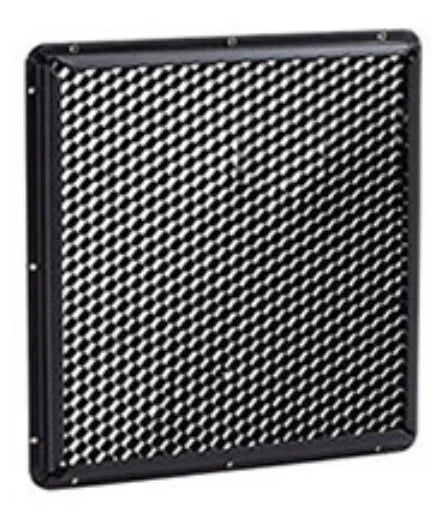

Rosco LitePad Vector Honeycomb Egg Crate
A honeycomb egg crate for the Rosco LitePad Vector. It gives the Vector a more directional beam and cuts spill from the sides of the fixture.

Image: Rosco
Soft light, better control
The Vector is a soft source. The egg crate keeps that softness but stops the light spreading everywhere.
- Narrows the Vector’s beam
- Reduces spill off the sides
- Keeps light off walls and backgrounds
Where soft light needs to stay put
Interviews
Keep key and fill off the background for more separation.
Tight locations
Control spill in small rooms and vehicles.
Stills & product
Directional soft light for contrast and shape.
What it is — and what it isn’t
Use it for
- Rosco LitePad Vector
- Controlling spill and flare
- Adding contrast with a soft source
Don’t use it for
- Other LitePad models
- Diffusing or colouring light — use the OPTI-FLECS kit
- Turning the Vector into a hard, spot-like source
Getting the best result
- Switch off and let the fixture settle.
- Fit the egg crate to the front of the Vector.
- Switch on and check the spread on set.
- Combine with flags if you need a harder cut.
Key details
| Fits | Rosco LitePad Vector |
|---|---|
| Type | Honeycomb egg crate |
| Effect | More directional beam, less side spill |
| Rosco code | 292008080200 |
Common questions
What does the Vector honeycomb do?
It makes the Vector’s light more directional and cuts spill from the sides, so you can place soft light without lighting the whole room.
Does it fit other LitePads?
No — it’s made for the LitePad Vector.
Can I use it with OPTI-FLECS filters?
Rosco offers both as Vector accessories. Ask us if you want to confirm a combined setup for your kit.
Compatibility is stated from Rosco data — if your fixture is a different or older model, check with us before ordering. Information is a guide only.
Planning a LitePad setup?
Tell us which LitePads you’re running and how you want to power them, and we’ll help you choose the right supply, cables and mounts.